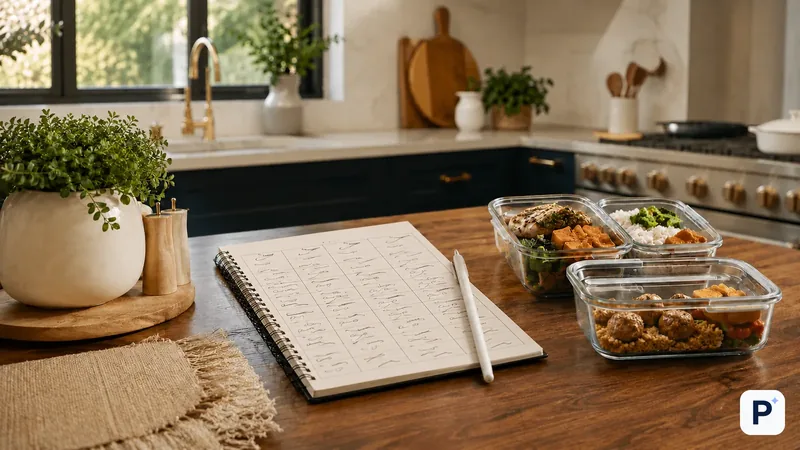
The Weekly Kitchen Reset: 15 Minutes That Cut Food Waste

Most advice about not wasting food deals with single things: how to store food, how to plan meals, how to make a shopping list or how to use up leftovers. Each of these makes sense, but it works best when you combine them into one simple system.
That system can be a weekly kitchen reset. Once a week you spend around 15 minutes checking what you have, what needs using up, what is starting to run low and what is worth planning for the days ahead.
This is not about washing out cupboards, scrubbing the fridge or doing a big clean. It is about a quick review of your food that keeps your supplies from slipping out of sight.
Because the problem often isn't "I bought too much food". It is more like "I knew I had that yoghurt, but I only remembered it once it was too late". The weekly reset is there to prevent exactly that.
Why Do a Reset Once a Week?
Food easily drops out of view. New shopping lands at the front, older products get pushed to the back, and the container of yesterday's dinner ends up buried under other things. In the freezer it is even simpler: if you can't see something, it is very easy to forget it is there at all.
That is why you don't need another complicated system. You need a regular moment when you regain visibility of your supplies.
A week is a convenient rhythm, because it usually lines up with meal planning and shopping. You can do the reset on a Friday before the weekend shop, on a Sunday before the new week begins, or on any day that naturally fits your routine.
What matters most is not whether it falls on a Friday or a Sunday. What matters is that the day is fixed. After a few weeks you no longer need to remember to "do the reset". It simply becomes part of the week.
The Weekly Kitchen Reset, Step by Step
You can get the whole thing done in about 15 minutes. The key is not to turn the reset into a big clean. You don't wash the shelves, move every product into new containers or reorganise the whole kitchen from scratch.
You only check what helps you make a decision: what to use up, what to plan and what not to buy.
1. Start with the Fridge, About 3 Minutes
Open the fridge and look through it from top to bottom. You don't need to take everything out. Mainly check opened products, leftover cooked meals, opened packets, fruit and vegetables that are starting to lose their freshness, and products with a shorter shelf life.
Ask yourself three questions:
- What needs eating first?
- What can I use up over the next few days?
- Do I have anything I could freeze if I'm not going to get through it in time?
This is often where ready-made meal ideas appear. Do you have cooked rice? Plan a fried rice. Are there potatoes left? They can be the base for fritters, a bake or a dinner from the pan. Do you have an opened packet of vegetables and a piece of cheese? Rather than another shopping trip, an omelette, some pasta or a bake might be all you need.
Don't try to work out the whole week just yet. At this stage it is only about spotting the products that should get priority.
2. Check the Dates, About 2 Minutes
Now focus on the perishable products. Mainly check opened packets of dairy, cold cuts, fresh meat and fish, and other products with a short storage life.
It is worth remembering that not every date automatically means "throw it out". "Use by" relates to food safety, whereas "best before" relates mainly to the quality of the product. With the second date, the judgement depends among other things on how the product was stored and whether the packaging has been damaged.
If you want to understand these labels better, take a look at our guide to how to read date labels.
The point isn't to analyse every product during each reset. You are mainly looking for the things that call for a decision: eat now, plan in, freeze or, if a product is unsafe, throw it out.
3. Look in the Freezer, About 2 Minutes
The freezer is the place that is easiest to turn into a store of forgotten food. "I'll keep it for later" can very quickly turn into "I don't remember what's in there".
So once a week, have a look inside. You don't need to take every product out. A quick review is enough. Check whether you have frozen portions of cooked meals, meat, bread, vegetables, fruit or other products worth using up soon.
If you find something that fits a planned dinner, move it to your list of things to use up. It is also a good idea to keep older products more towards the front and newer ones at the back. That makes it easier to keep things rotating.
If you're not sure what can actually be frozen, see what you can and can't freeze.
4. Make a Quick Meal Plan, About 3 Minutes
Only now move on to planning. You don't need to map out seven perfect lunches, breakfasts and dinners. In many households it is enough to plan the next 3–4 dinners, especially the ones that let you use up products that need using up quickly.
For example:
- Do you have chicken that needs using up? Monday: chicken tortilla.
- Do you have cooked rice? Tuesday: fried rice with vegetables.
- Do you have vegetables that are starting to wilt? Wednesday: a creamed soup.
- Do you have potatoes left from an earlier dinner? Thursday: a bake or some fritters.
The rest of the week can stay more flexible. That is important, because a meal plan should not become another source of pressure. Its main job is to answer the question: what do I do with what I already have?
If you want to make a more detailed plan, read how to plan meals for the week.
5. Only Now Make the Shopping List, About 3 Minutes
This is one of the most important rules of the whole reset. The shopping list should be made after you review the kitchen, not before.
First you check your supplies. Then you plan. Only at the end do you write down what is missing. If you are planning pasta with chicken, you check whether you have pasta, chicken, vegetables and the ingredients for a sauce. If some of it is already at home, it doesn't go on the list.
It sounds obvious, but this is exactly the point where you can cut a lot of "just in case" shopping. Instead of "rice might come in handy", you have a specific need: "I have chicken and vegetables, so I need rice to turn them into a dinner". It is a completely different way of shopping.
If you tend to buy more than you need, also see how to make a shopping list so you don't buy too much.
6. Create a "Use First" Zone, About 2 Minutes
At the end, do one small thing that will work for you across the whole following week. Move the products that need using up quickly to the front of the fridge.
It might be an opened soft cheese, cooked vegetables, leftover dinner, an opened packet of cold cuts, or products you bought earlier that should be used before any new shopping.
You don't need a special container labelled "eat me". It is mainly about visibility. If you open the fridge and immediately see what should be eaten first, it is far easier to use it up over the week.
Why Does the Order Matter?
The whole reset can really be boiled down to one order: check, pick your priorities, plan, buy. Not the other way round.
If you shop first and only then look at what you have in the fridge, new products arrive in the kitchen alongside the ones already waiting to be used. If you check your supplies first, you can build your meals around the products you already have.
This is the difference between buying for stock and buying for a plan. The idea isn't that you should never have extra products at home. Supplies are useful. The problem arises when you buy another item without checking whether you don't already have two of the same.
A Kitchen Reset Doesn't Mean Perfect Planning
This matters, because it is easy to turn a simple system into yet another duty. You don't have to plan every meal for seven days. You don't have to use up absolutely everything before the next shop. Nor do you have to keep a perfect list of every product in the kitchen.
The reset is meant to help you make better decisions, not to control every gram of food.
If you have a busy week, plan only two dinners. If you have a lot of products that need using up quickly, focus on exactly those. If you know you'll be eating out over the weekend, don't do a big shop just because "you always shop on a Saturday". The system should fit your life, not the other way round.
What to Do When You Find Too Many Products?
This is exactly the moment when the reset shows its value. If you see several products that need using up, don't try to turn each of them into a separate meal. Look for ways to combine them.
Is there rice, a piece of chicken and some vegetables left? Make a single dish from the pan. Do you have potatoes, eggs and a bit of cheese? Make a frittata or a bake. Do you have a few vegetables that are no longer perfectly firm? A creamed soup may be a better option than trying to use them separately. Is there a small amount of several different products left? Treat them as the ingredients for a single tortilla, bake, salad or bowl.
This is exactly the same principle we describe in our article on what to do with dinner leftovers: don't ask what to cook from scratch. First check what is already made.
How to Make the Reset a Habit?
It is easiest when it doesn't require any extra thinking from you. Pick one day of the week. For example, Sunday evening or Friday before the shop. Set yourself a reminder for the first few weeks, until the task becomes routine.
You can also tie the reset to something you do anyway. If you plan your shopping on a Sunday, you do the reset right before you make the list. If on a Friday you check what is in the fridge before the weekend, you do it then.
And above all: 15 minutes is a limit, not a target to beat. If after fifteen minutes you still feel like reorganising the cupboards, great. But that isn't part of the reset. The reset is meant to be a quick review, not a weekly kitchen refit.
You Can Also Do the Reset as a Pair
If you live with a partner, family or flatmates, it is worth sharing the responsibility. One person can check the fridge and leftovers, the other the freezer and dry goods. Then together you settle on a few meals and make the shopping list.
An even simpler option: one person does the reset this week, the other next week. What matters most is that one person isn't left responsible all at once for remembering what is in the entire kitchen, planning the meals and keeping an eye on the shopping.
What Does PantryOS Change in This Process?
The whole weekly reset rests on one piece of information: you have to know what you have.
And this is exactly where it is easy to slip back into the old problem. You open the fridge, you see some of the products, but you don't remember what is in the cupboard. You look in the freezer, but you don't know when you froze a given portion. You know you have pasta somewhere, but you don't remember whether there is one packet left or three.
PantryOS lets you move that knowledge into one place. You can keep an overview of your supplies, create shopping lists and use recipes matched to what you already have. The Premium version also adds reminders about approaching dates, so you don't have to rely on memory alone.
That changes the character of the weekly reset. Instead of doing a full review of the kitchen from scratch, you can use the app as a starting point: check your supplies, see what needs using up, plan your meals and add to the list only the things you genuinely lack.
The reset gives you rhythm. PantryOS gives you visibility. Together they make a simple system that cuts down on the "I bought a new one and found the old one a week later" situation.
The Weekly Kitchen Reset, a Quick Checklist
If you want to start straight away, note down this plan:
- Check the fridge.
- Spot the products that need using up first.
- Check the dates on perishable products.
- Look in the freezer.
- Plan the next 3–4 meals around what you already have.
- Add to the list only the things you really lack.
- Move the "use first" products to the front of the fridge.
The whole thing shouldn't take more than about 15 minutes.
It's Not About a Perfect Kitchen, Just About Not Losing Sight of Your Food
The weekly reset isn't another method for running a perfect home. It is a simple moment in the week when you pause for a second and check: what do I have, what needs using up and what do I really need.
As a result, you plan meals around your existing supplies, do more specific shopping and are less likely to discover a product you had completely forgotten about a few days later.
You don't have to do it perfectly. It is enough to do it regularly. 15 minutes once a week can be enough for the kitchen to start working more like a system and less like a store of random shopping.